Preventing Mobile Phishing and Guidelines for a Safe Digital Experience
DataNudge
August 2023
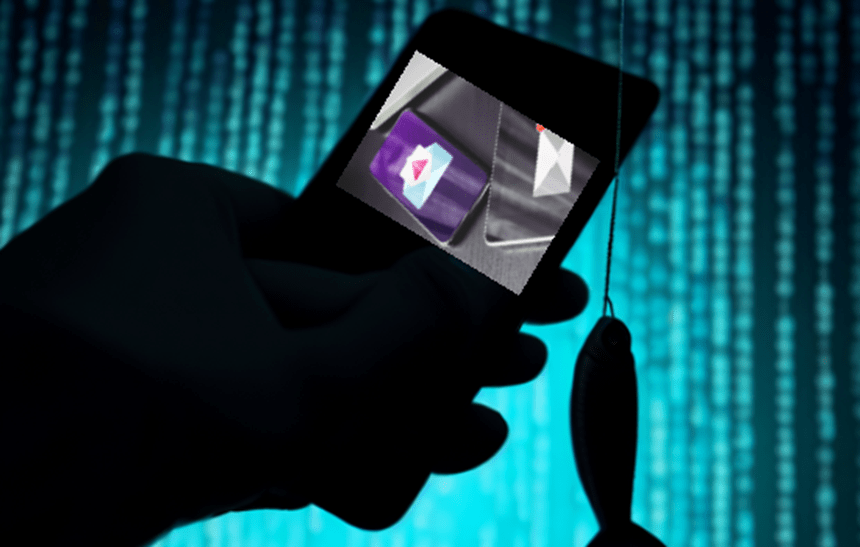
Mobile devices have become an essential part of our daily lives, offering ease and connectivity even on the road. However, as we have become more reliant on mobile technology, we have become more vulnerable to cyber dangers such as mobile phishing. Mobile phishing uses text messaging, social media apps, and other mobile communication platforms to dupe users into disclosing sensitive information or clicking on dangerous links. In this article, we’ll look at mobile phishing strategies, potential risks, and, most importantly, how to protect yourself from this emerging cyber threat.
Understanding Mobile Phishing
Mobile phishing attacks employ a variety of strategies to fool and influence users into performing hazardous actions. To acquire victims’ trust, attackers frequently imitate trustworthy companies such as banks, service providers, or respectable organizations. They distribute malicious links or requests for personal information via text messages or messaging apps.

Mobile Phishing Techniques
Mobile phishing strategies are intended to take advantage of the ease and continual connectivity of mobile devices to deceive users into disclosing sensitive information or doing hazardous acts. Here’s a full breakdown of popular mobile phishing techniques:
Text Message Scams:
Attackers send text messages, frequently posing as representatives of genuine organizations such as banks, government bodies, or service providers. These messages may contain urgent requests, bogus offers, or frightening warnings to entice consumers to take rapid action. A message, for example, may pretend that the user’s account has been compromised and advise them to click a link to secure it.
Spoofing Apps:
Attackers use this method to construct fraudulent mobile apps that seem just like authentic ones, such as apps for banking or social media platforms. Unwary consumers may install and download these apps, believing they are legitimate. When a user inputs their login information, the attackers intercept the data and gain unauthorized access to the individual’s accounts.
Malicious Links and Social Media Lures:
Attackers use social media platforms to send phishing messages or direct messages (DMs). They may pose as friends, family members, or coworkers and request personal information, passwords, or financial information. The sender’s familiarity can make consumers more likely to respond or click on links. Phishing communications frequently include abbreviated URLs or hyperlinks that guide users to malicious websites. These websites look just like real websites and ask users to submit their credentials or sensitive information. These links can potentially install malware on the device, jeopardizing its security.
Fake Giveaways and Urgent Alerts:
Attackers may send messages to recipients stating that they have won a prize, contest, or gift card. To claim the incentive, they want confidential data, payment, or account information from the user. These frauds take advantage of people’s desire to get something valuable without their knowledge. Attackers send messages that seem to be from trusted sources, such as mobile carriers or app shops, informing customers that their account or device is in trouble. They provide a link for the user to follow to resolve the matter, however clicking on the link can result in malware infection or data theft.
The Dangers of Mobile Phishing
Mobile phishing poses numerous hazards that can have far-reaching effects on individuals, organizations, and even society as a whole. Here’s a full summary of the dangers of mobile phishing:
Financial Loss:
Financial loss is one of the most immediate and concrete risks of falling victim to mobile phishing. Attackers who get access to your banking or payment credentials can conduct unauthorized activities, make purchases, or deplete your accounts. Credit card information stolen can be sold on the dark web, increasing the financial effect.
Identity Theft and Data Breach:
Mobile phishing attacks frequently attempt to obtain confidential data such as Social Security numbers, birth dates, and addresses. Cybercriminals can use this information to perpetrate identity theft, establish new lines of credit, apply for loans, or engage in other illegal actions in your name. Resolving identity theft can be a time-consuming and difficult procedure. Mobile phishing can lead to data breaches, especially if the targeted victim is an employee of a company. Once an attacker gains access to an employee’s mobile device, they can utilize it to infiltrate an organization’s network, compromising valuable company data, intellectual property, and consumer information.
Credential Compromise and Malware Infection:
Account takeovers can occur as a result of phishing attacks that fool users into exposing their login credentials. This is especially troubling for services such as email, social networking, and cloud storage. Attackers can take control of your accounts, impersonate you, transmit malware to your contacts, and steal your personal information. Mobile phishing messages frequently include dangerous links that, when clicked, can download and install malware on your device. This spyware can steal sensitive data, follow your actions, record keystrokes, and even remotely control your device, putting your privacy and security at risk.
Secondary Assaults and Regulatory Implications:
Successful mobile phishing assaults can be used to launch more complex cyberattacks. Attackers can use the compromised device to gain access to bigger networks or systems, resulting in more serious breaches or even ransomware attacks. Organizations are increasingly being held liable for the security of their customer’s data. If the mobile devices of an organization’s employees are compromised, resulting in a data breach, the organization may risk regulatory fines, legal action, and reputational harm.
Protecting Against Mobile Phishing
Protecting yourself from mobile phishing is critical for keeping your personal and sensitive information safe from attackers. Here’s a full discussion of effective defense tactics against mobile phishing attacks:
Stay Informed and Verify Sender Identity:
The first line of defense is awareness. Keep up to date on the latest phishing tactics and strategies. Understand how phishing communications are constructed, how they appear, and the frequent red flags to look out for, such as misspellings, urgent requests, or unfamiliar sender addresses.
Before clicking on any link or sharing critical information, make sure the sender is who they say they are. If you receive a message from a known source that appears unusual or unexpected, contact the sender immediately via a trusted channel to validate the message’s integrity.
Use Strong Authentication:
When possible, enable multi-factor authentication (MFA). MFA increases security by requiring a second form of authentication in addition to a password. This makes it far more difficult for criminals to obtain unauthorized access to your accounts. Be wary of clicking on links sent to you via email, text message, or social media, especially if they arrive out of nowhere. Hover your mouse over the link to reveal the full URL. Avoid clicking on it if it does not match the expected website.
Maintain Software Updates:
Update your mobile device’s operating system, apps, and security software regularly. Security patches are frequently included in updates to address vulnerabilities that attackers may exploit. Install reputed mobile security apps that provide phishing protection. These programs are capable of detecting and alerting you to potentially dangerous links and websites.
Report Phishing Attempts:
If you receive a phishing message, notify your email or mobile service provider, as well as the appropriate authorities. Reporting assists authorities in tracking down and eradicating phishing campaigns. Phishers frequently instill a sense of urgency to trick victims into taking immediate action. Resist the temptation to respond quickly and independently verify the situation before clicking on any links or supplying information.
Secure Mobile Network and Examine the App Permissions:
When possible, use secure and encrypted Wi-Fi connections. When performing critical tasks such as banking or shopping, avoid utilizing public Wi-Fi. To secure your internet connection, consider using a virtual private network (VPN).
Before installing new apps, check the app permissions. Make certain that they only have access to the information that they require. Apps that do not need access to your data should have their permissions restricted.
Conclusion
In today’s digital landscape, mobile phishing is a big concern. You may protect your mobile devices and personal information from fraudsters by remaining cautious, learning about typical phishing strategies, and implementing best practices. Remember that being careful and skeptical might go a long way toward defending yourself from mobile phishing attacks.
 |DataNudge